Product Overview
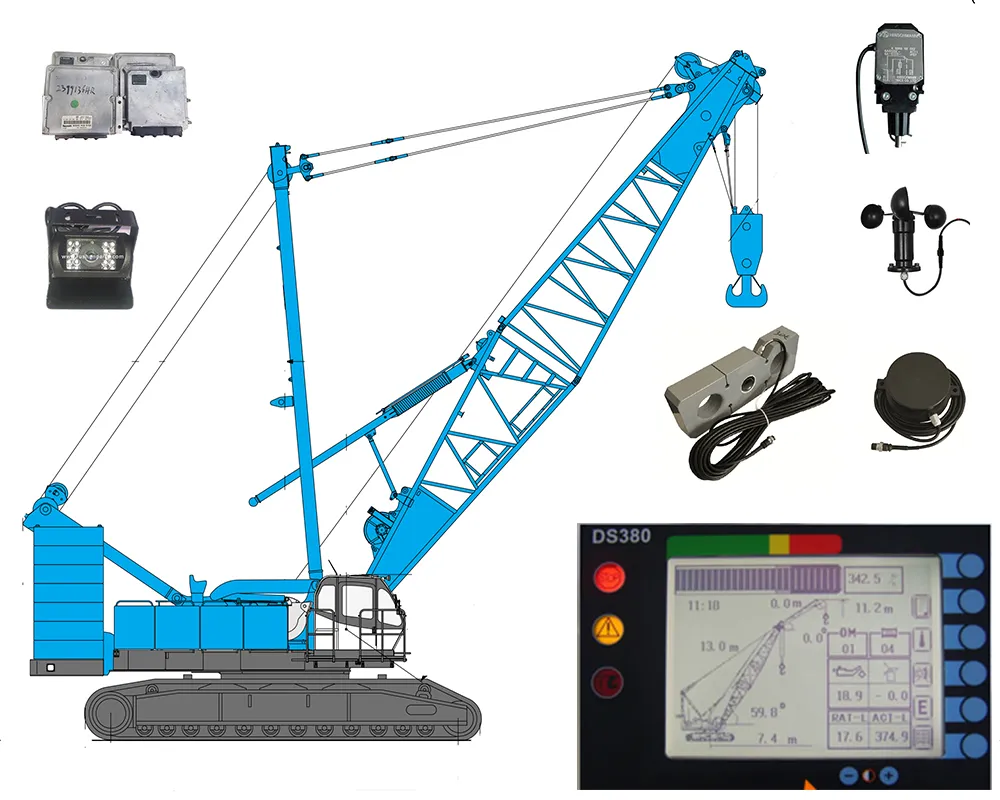
This is a crane safety and zone protection system supplied as a matched monitors-and-mainframe set, not as a single component. The mainframe handles the control and processing work on the machine, and the monitors are the operator's view of what the crane or rig is doing. Because the two arrive together, they are matched to each other and to the machine, and the crawler crane parts around them — displays, controllers, cables and sensors — come from the same electrical range.
Fleets, repair workshops and parts dealers order this set when a machine needs a complete safety package rather than one replacement item. Crane and rig operators, field electricians and workshop fitters get parts that arrive matched, labelled and ready to install. If you are sourcing crane spare parts for a machine that is already on site, we confirm the configuration against your machine model and the numbers stamped on the units you are replacing.
Shenyang Winnings Machinery Trading Co., Ltd works as a crane parts supplier for electrical safety system components on crawler cranes, rotary drilling rigs and heavy machinery. We supply OEM-compatible electrical parts and back them with engineers who install, calibrate, troubleshoot and upgrade these systems on working machines.
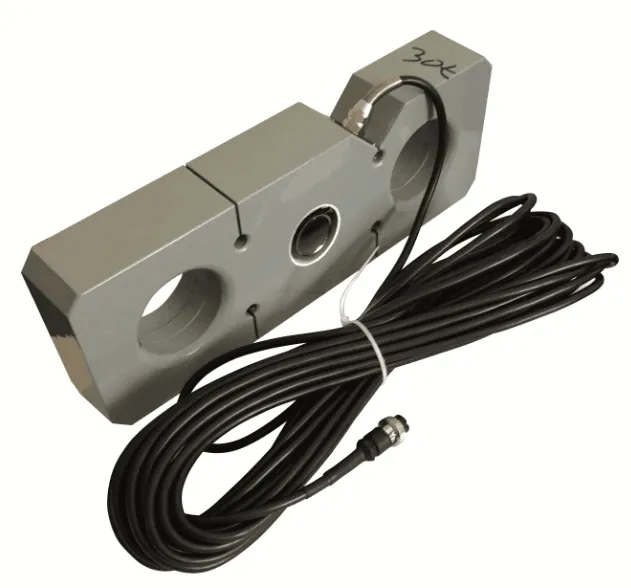
Monitors, Mainframe & Zone Protection
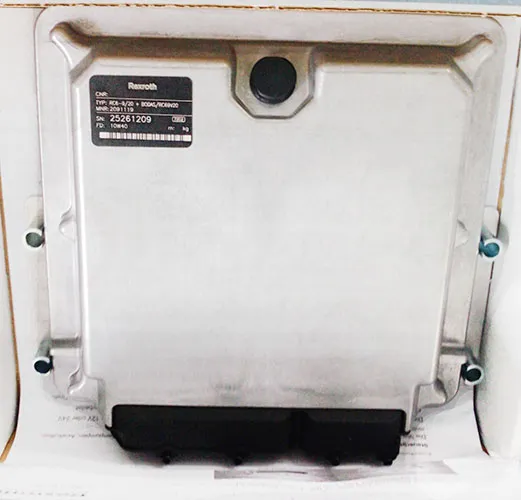
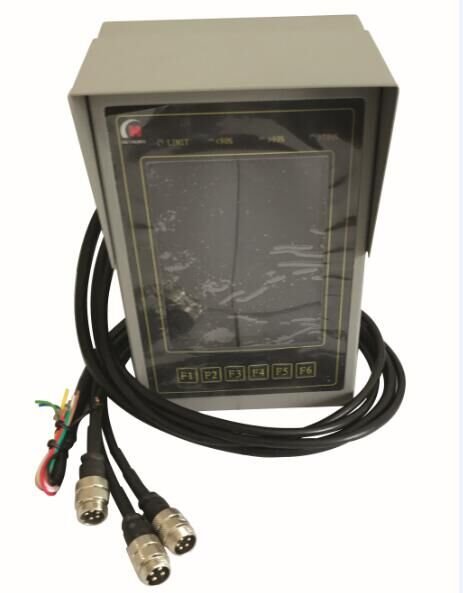
- The mainframe — the control and processing unit of the set. It takes the signals coming from the machine's sensors and holds the limits configured for that individual machine.
- Zone protection — the system is set to the area the crane is allowed to work in: the slew sector, the working radius and the permitted height, including the boundaries around fixed structures, stockpiles and other machines on site.
- Warning before intervention — as the machine approaches a set limit the operator gets a warning first, and the protective response follows at the limit itself, so there is time to stop the movement in a controlled way.
- Limits are set per machine — working radius, site restrictions and camera layout are entered for the individual crane or rig, which is why the machine model and serial number matter more than the model family when the set is configured.
- Alarm and signal path — the mainframe carries the signal path between the sensors, the display and the output devices. When something misbehaves, the error code shown on the display together with the machine details usually tells our engineers which wire or module to look at.
- Wiring and connectors supplied with the set — the cabling that links the mainframe, the display and the sensors is part of the package, which matters on heavy equipment parts orders where one missing connector can hold up a rebuild.
- One electrical family — controllers, displays, cables, limiters and sensors come from the same crane parts range, so a repair two years from now does not mean re-sourcing a different make of component.
Camera & Display Monitoring
Camera monitoring is part of the safety picture rather than an add-on. The set puts live views from wired camera heads on the same display as the machine's working readings, so the operator can watch the load, the boom and the area behind the machine without turning away from the console.
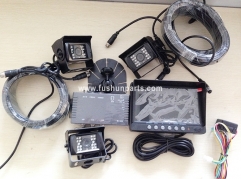
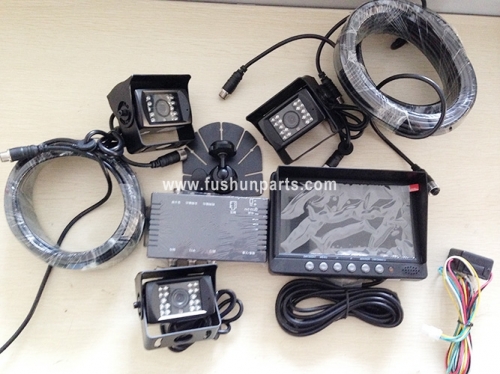
The camera heads in this range use infrared illumination around the lens, which keeps the image usable in low light, at dusk and in dust. A sun shield over the lens cuts glare, and each head sits on a swivel bracket so the viewing angle can be set on site and locked. The housings are sealed and the lens is fixed, so there is nothing to adjust inside the camera itself.
On the display, several camera feeds can be shown together in a split-screen layout, which is what makes the system practical on a crawler crane where the operator is watching the load, the boom and the machine's surroundings at once. The console carries function keys for moving between views and is sized to mount inside the cab without taking over the operator's working space.
Camera coverage is planned with the machine rather than guessed. Tell us where the blind spots are — the rear of the machine, the track line, the mast area on a rig — and we will confirm the positions the kit should cover and how the feeds are laid out on screen. Because the camera heads, displays and cabling are construction machinery spare parts in their own right, coverage can be extended or reduced later without changing the rest of the installation.
Specifications
| System type | Crane safety and zone protection system |
| Supplied as | Matched monitors and mainframe set |
| Monitored functions | Load, boom and working-area limits, camera views |
| Display | In-cab monitor with split-screen camera views |
| Camera heads | Wired, infrared illumination, swivel mounting brackets |
| Mainframe | Metal enclosure with a labelled front panel |
| Connections | Wired cable loom, connectors and extension cables |
| Typical machines | Crawler cranes and rotary drilling rigs |
| Configuration | Set for the buyer's machine model and part numbers |
Compatibility & Model Confirmation
- Brands we configure most often — FUWA crawler cranes, SANY rotary drilling rigs, XCMG and ZOOMLION machinery, along with other crawler cranes and rigs that run a comparable electrical architecture. We supply OEM-compatible parts for these machines rather than a single-brand range.
- What to send with your enquiry — the machine's brand, model and serial number; photographs of the existing monitors, mainframe and connectors; and the part numbers printed or stamped on the units you are replacing.
- Why the numbers decide the fit — one machine family can carry more than one monitor or mainframe variant across its production years. The number on the unit you are taking off is the fastest route to the right configuration.
- How confirmation works — our engineers compare what you send with the machines we have supplied, then reply with the part or part number we propose, the machine it suits and what the set includes, before you commit to the order.
- When the old unit is unclear — if a label is missing or worn, tell us and we will say which further details we still need. It is better to ask twice than to fit the wrong mainframe.
- Crawler crane parts around the system — the same team supplies the crawler crane parts that sit around the safety system, so a safety upgrade and the mechanical replacements a machine needs can be handled in one enquiry.
Installation & Commissioning
- Isolate the machine and photograph the old installation — monitors, mainframe, connectors and cable routing — before anything is removed.
- Mount the display in the cab and the mainframe on the machine, using the original mounting points so no new holes have to be drilled.
- Run the wiring loom along the existing cable route, clear of hot surfaces and moving crane parts, and secure it at the original tie points.
- Connect the cameras and sensors, checking that every connector is fully locked and that each camera covers the area you planned for it.
- Power up and confirm that every screen and reading appears before any limit is set.
- Enter the limits for the machine's working radius and your site restrictions, then test them at low speed with the working area clear.
- Test the warnings and the protective response together, and keep a note of the final settings with the machine's documents.
Retrofit & Legacy Machine Upgrades
Plenty of cranes and rigs in service were built around electrical parts that are no longer current, and a machine that still earns its keep does not need replacing to gain a modern safety system. Retrofitting means keeping the parts of the installation that are sound — the wiring, the mounting points, the sensor positions — and replacing only what has to change.
A typical upgrade for older machinery covers a current display with a real-time data interface in place of an outdated console, revised wind speed sensors built for harsh environments, and camera monitoring kits where the site requires a clear view around the machine. Each item is chosen against the machine's existing architecture rather than as a catalogue default. Because the rest of the machine still needs the usual crane spare parts behind it, the retrofit and the ordinary replacements are handled in the same enquiry.
The work starts with what you already have. Send photographs of the existing installation, the numbers on the units fitted today and any drawings you hold for the machine's electrical system. Our engineers map that against the components we can supply and set out the upgrade path, including bespoke designs where the machine's layout does not match anything off the shelf.
Older machines often carry mixed-brand equipment, so the upgrade is decided machine by machine. Heavy equipment parts, hydraulic components and the electrical side of a machine are handled by the same team, so a legacy upgrade does not pull in a second supplier for the mechanical work around it.
Applications
- Crawler cranes on infrastructure and building sites — the display keeps working readings and camera views together in front of the operator on sites where several machines share the same working area.
- Rotary drilling rigs — the mast, the crowd and the rigging sit outside the operator's direct line of sight, so the monitors and camera feeds do most of the watching.
- Ports, terminals and yards — restricted working areas are where zone protection earns its place, keeping the machine clear of fixed structures, stacked loads and marked walkways.
- Mining and heavy-industry sites — a single crane parts list covering both the safety electronics and the mechanical replacements keeps one supplier accountable for the machine.
- Workshop and overhaul work — when a machine comes in for undercarriage, hydraulic or structural work, the crawler crane parts being replaced and the safety check are handled in the same visit.
- Rental fleets and depots — a configuration record per machine makes it easy to see what each crane carries and to order the same set again when a machine is added to the fleet.
Ordering, Delivery & After-Sales Support
- Ordering electrical items — standard electrical items such as sensors, displays and cables are ordered by the item, and the wider construction machinery spare parts range is quoted per machine and per requirement.
- What to send with the order — machine brand, model, serial number and the part numbers on the units being replaced. We confirm the configuration and prepare the quotation from there.
- Payment — T/T and Western Union, with terms agreed when the order is placed.
- Packing — export packing in secure plywood crates.
- Shipping — standard shipping is typically 7–15 days by DHL, FedEx or TNT, and express delivery is typically 3–5 days at additional cost. Custom orders usually ship 3–4 weeks after the design is confirmed. Ports of loading include Shanghai and Dalian, with EXW, FOB, CFR and CIF terms available.
- Warranty — electrical safety system parts carry a 12-month warranty covering manufacturing defects and aligned with OEM performance expectations. Improper installation, unauthorised modification and damage from extreme environments fall outside it.
- After-sales repair — on-site technical support covers installation, calibration and troubleshooting on FUWA, SANY, XCMG and ZOOMLION equipment. Remote diagnostics work by email or WhatsApp when you can send the error code or a short description of what the machine was doing, and faulty parts can be returned for repair, usually within 5–10 business days.
- Urgent breakdowns — our engineers are on call around the clock for machines that are down, and urgent crane spare parts orders are handled as a priority.
- Repeat and bulk purchases — ask your sales contact about the current terms for repeat orders and larger quantities.
- Heavy equipment parts in the same order — because the same team handles heavy equipment parts for the machine, an order for the safety system can be combined with the mechanical items it needs.
- Who you are ordering from — Shenyang Winnings Machinery Trading Co., Ltd works as a crane parts supplier for crane and rig fleet operators, workshops and dealers, and every order is confirmed by an engineer before it is packed.
Fleet Rotation & Instrument Integration
- A set is configured for one machine. The monitors and mainframe hold the working radius limits, camera layout and sensor positions entered for the machine they were fitted to, so when a set moves to a second machine in your fleet, those settings are entered again on that machine while the hardware itself stays as it is.
- Same model, different unit. Where two machines share a brand and model, the monitors, mainframe and cable loom normally carry over without any change of hardware. Send both serial numbers and we will confirm the fit before the swap is planned.
- Different model or tonnage class. If the second machine is a different model or a different tonnage class, we check which items of the set travel with it and whether the display or mainframe has to change. The reply names what can be reused and what has to be ordered.
- What physically moves with the set. The monitors, the mainframe, the wiring loom with its connectors, the camera heads with their brackets and the mounting hardware all belong to the set. Check each item against the second machine's mounting points and cab space — on heavy equipment parts work, a missing bracket is what stops the job.
- Keep a record per machine. The final limit entries, the camera positions and the part numbers on the units are worth keeping with the machine's documents. That record is what lets a set be re-fitted, or a crane spare parts order be repeated for the next machine, without measuring the setup from scratch.
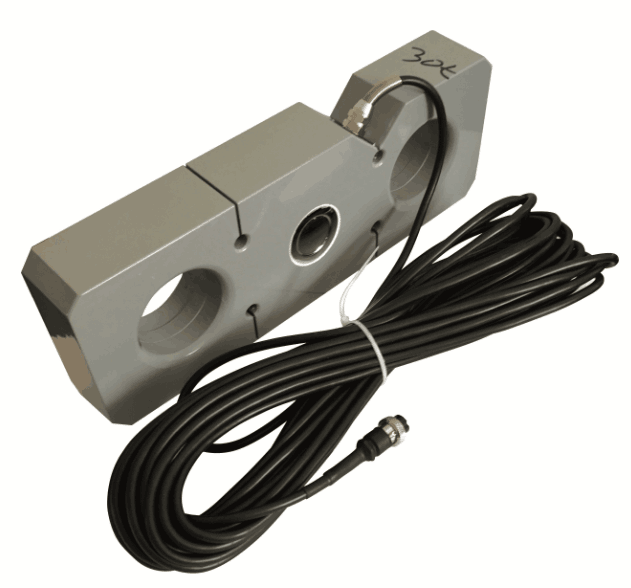
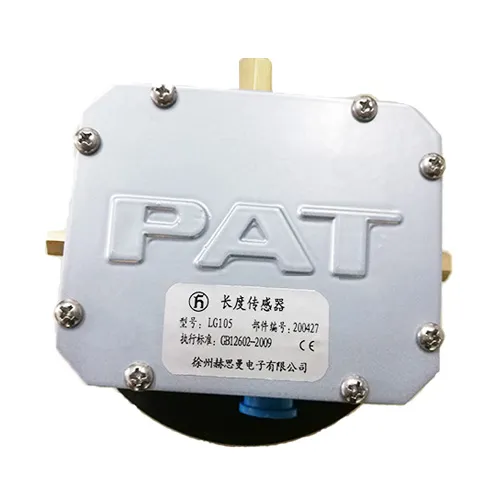
- Working alongside a load moment indicator already on the machine. Load moment indicators, load cells, wind speed sensors, angle sensors and overload protection devices sit in the same electrical family as these monitors and mainframes. Tell us what is already fitted and which functions you want the new set to handle, and our engineers confirm how the two work alongside each other.
- Avoid duplicating sensors the machine already carries. Where a working load cell, wind speed sensor or angle sensor is wired to the machine's own indicator, the usual approach is to leave those sensors in place and add only what the set needs — the zone protection limits and the camera coverage.
- What to send for a rotation or a shared-sensor check. Machine brand and model for each machine involved, the part numbers on the units, photographs of the existing indicator and sensor positions, and any wiring diagram you hold. Acting as a crane parts supplier for mixed fleets, our engineers compare that against the machines we have supplied and reply with what can be reused, what has to be re-entered and what has to be replaced.
Operator Response & Fault Reporting
- Bring the movement to a safe stop. When a warning or an error appears, complete the manoeuvre to a safe state under your site's lifting procedure rather than continuing the lift to see whether the message clears.
- Write down exactly what the display shows. The code or message, and whether it came up while slewing, booming, hoisting or travelling, are the two details that let our engineers narrow a fault to one circuit instead of the whole loom.
- Note where it happened in the cycle. Load on the hook, working radius and the movement under way at the moment the message appeared all help separate a limit being reached from a sensor or cable fault.
- Report it through maintenance, not just from the cab. Pass the note to the workshop or site electrician so one message reaches us with the machine model, the part numbers and photographs attached. A warning mentioned verbally at shift change and never written down usually costs a day.
- Do not re-set or bypass the limit to keep working. Clearing a limit entry, pulling a fuse or unplugging a sensor takes the protection out of the machine with nothing diagnosed. When the cause is still there, a repeated reset normally brings the same warning back under load.
- Use the code for remote diagnostics. Send the code, the machine model and a short description by email or WhatsApp; in most cases that is enough for our engineers to identify which sensor, cable or camera channel to check, which is the same starting point we use on any crane spare parts enquiry.
- Escalate when the same code returns after a part has been changed. Tell us the full sequence — what was replaced, what was tested and what the display showed each time. A fault that comes back after two visits is usually a wiring or earthing issue rather than the component that was swapped.
- Keep the electrical spares that stop a machine. Displays, cables, sensors and camera heads are ordered individually as construction machinery spare parts, so a spare cable loom or camera head held at the depot often turns a two-day wait into an afternoon's work.
Discontinued & Hard-to-Find Parts
When a machine is out of production but still working, the part number matters more than ever. If the number you have is discontinued or hard to trace, send us the machine model together with that number: we search our supplier network, confirm what is genuinely available, and give you a straight answer before you commit. Where the original is no longer made, we set out the alternatives we can actually supply, or an upgrade path, and coordinate samples, inspection and made-to-order work with the suppliers we buy from. Sourcing, consolidation and export handling stay with us.
FAQ
What should the operator do if a warning or an error appears during a lift?
Treat the warning as a stop-and-check signal: bring the machine to a safe state in line with your site's lifting procedure, note the code or message on the display, and write down what the machine was doing at the time. Send that note with the machine model. In most cases the code and the machine details are enough for our engineers to point to the sensor, cable or camera channel to look at, while the decision to return the machine to work stays with your lifting supervisor.
Can we move a set from one machine to another in our fleet?
Configuration is machine-specific — limits, camera layout and wiring are set for the machine the set is fitted to. If you want to move a set to another machine, send us both models and we will say whether the same monitors and mainframe suit it and which settings have to be entered again before the machine goes back to work.
Do the limits have to be re-checked after a repair?
Yes. Any time a display, sensor, camera or length of cable is changed, the limits and the camera layout should be checked again before the machine returns to work. The settings live in the mainframe, so the recheck is usually a matter of confirming the entries on the display and testing the warnings at low speed rather than repeating the whole installation.
Will it work alongside the load moment indicator already fitted to our machine?
Load moment indicators, load cells, wind speed and angle sensors and overload protection devices sit in the same electrical family as these monitors and mainframes. Tell us what is already fitted and what you want the new set to do, and our engineers will confirm how the two work alongside each other, including which existing sensors can stay on the machine.
Is the display readable in bright sunlight?
The monitor is a high-visibility display intended for cab use, with function keys for switching between camera views and working readings. If glare in a particular cab position is a problem, tell us when you order and we will advise on the mounting angle and position for that machine.